
-
 English
EN
-
 Arabic
AR
-
 Bengali
BN
-
 Chinese
ZH
-
 French
FR
-
 German
DE
-
 Hindi
HI
-
 Spanish
ES
-
 Japanese
JA
-
 Romanian
RUM
-
 Vietnamese
VI
-
 Italian
IT
-
 Thai
TH
-
 Bosnian
BS
-
 Dutch
NL
-
 Portuguese
PT
-
 Polish
PL
-
 Hebrew
HE
-
 Hungarian
HU
-
 Finnish
FI
-
 Greek
EL
-
 Korean
KO
-
 Malay
MS
-
 Indonesian
ID
-
 Persian
FA
-
 Turkish
TR
-
 Serbian
SR
-
 Khmer
KM
-
 Ukrainian
UK
-
 Lao
LO
-
 Russian
RU
-
 Czech
CS
-
 Kannada
KN
-
 Marathi
MR
-
 Swedish
SV
-
 Danish
DA
-
 Urdu
UR
-
 Albanian
SQ
-
 Slovak
SK
-
 Burmese
BUR
-
 Tigrinya
TI
-
 Kazakh
KZ
-
 Azerbaijani
AZ
-
Chinese (CN)
ZH-CN
-
 Chinese (TW)
ZH-TW
-
 Portuguese (BR)
PT-BR
-
 Swahili
TZ
-
 Pashto
PS
-
 Dari
PRS
-
 Catalan
CA
-
 Dzongkha
BT
-
 Congo (DRC)
DRCFR
-
 Congo (Republic)
CGFR
-
 Costa Rica (Spanish)
ESCR
-
 Botswana (English)
ENBW
-
 Botswana (Setswana)
BWS
-
 Austria(German)
DEAT
-
 Bahamas(English)
ENBS
-
 Bahrain(Arabic)
ARBH
-
 Angola(Portuguese)
PT-AO
-
 Argentina(Spanish)
ES-AR
-
 Armenian
HY
-
 Australia
AU-EN
-
 Barbados(English)
BB-EN
-
 Belarusian
BE
-
 Belgium(Dutch)
NL-BE
-
 Belize(English)
BZ-EN
-
 Benin(French)
BJ-FR
-
 Bolivia(Spanish)
BO-ES
-
 Brunei(Malay)
BN-MS
-
 Bulgarian
BG
-
 Burkina Faso(French)
BF-FR
-
 Cameroon(French)
CM-FR
-
 Canada(English)
CA-EN
-
 Chile(Spanish)
CL-ES
-
 Colombia(Spanish)
CO-ES
-
 Comoros(Arabic)
KM-AR
-
 Croatian
HR
-
 Cuba(Spanish)
CU-ES
-
 Cyprus(Greek)
CY-EL
-
 Djibouti(French)
DJ-FR
-
 Dominica(English)
DM-EN
-
 Tetum
TET
-
 Ecuador(Spanish)
EC-ES
-
 Egypt(Arabic)
EG-AR
-
 El Salvador(Spanish)
SV-ES
-
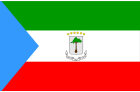 Equatorial Guinea(Spanish)
GQ-ES
-
 Estonian
ET
-
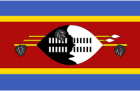 Swati
SS
-
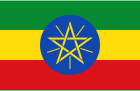 Amharic
AM
-
 Fijian
FJ
-
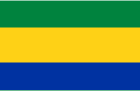 Gabon(French)
GA-FR
-
 Gambia(English)
GM-EN
-
 Georgian
KA
-
 Ghana(English)
GH-EN
-
 Grenada(English)
GD-EN
-
 Guatemala(English)
GT-EN
-
 Guinea(French)
GN-FR
-
 Guyana(English)
GY-EN
-
 Haiti(French)
HT-FR
-
 Honduras(Spanish)
HN-ES


0 Bình luận